> ## Documentation Index
> Fetch the complete documentation index at: https://docs.wendung.app/llms.txt
> Use this file to discover all available pages before exploring further.
# Site settings
> Choose the hostname, collapse dynamic paths with normalization rules, and decide which query parameters to keep.
A site's settings control how its URLs are stored. Open them from the site's row on the [Sites page](/help/sites) or from the site page's menu.
 ## Hostname
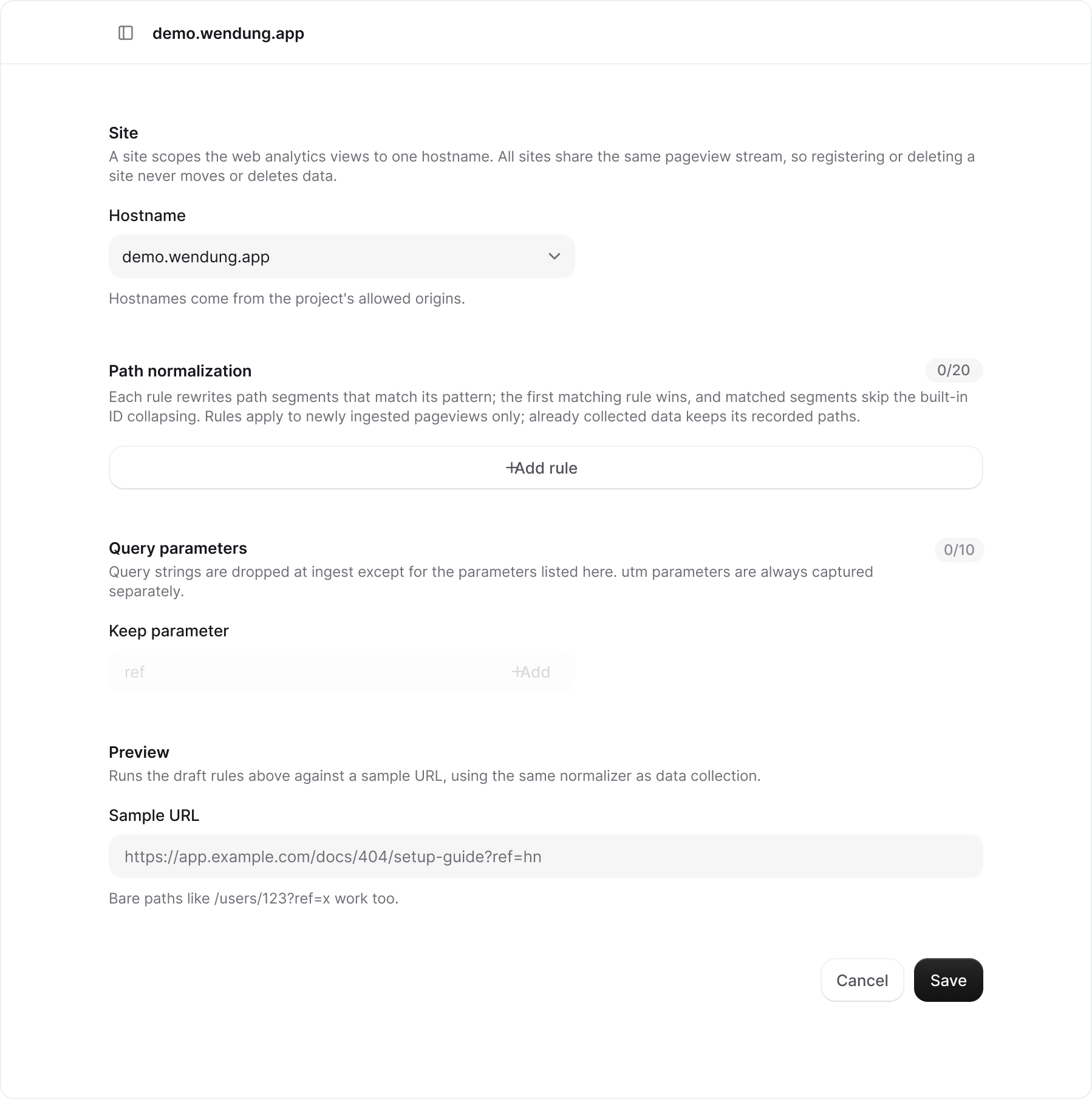
The hostname comes from the project's [allowed origins](/help/settings#allowed-origins). A site scopes reports to one hostname; all sites share the same pageview stream, so changing the hostname does not move or delete data.
## Path normalization
Each rule has a **pattern** (a regular expression) and a **replacement**. Rules are tested against one path segment at a time, in the order shown. The first rule that matches a segment wins, and that segment skips the built-in collapsing of numeric IDs and UUIDs. Drag the handle at the start of a row to reorder rules. A site can have up to 20.
Rules apply to pageviews collected after you save. Data that was already stored keeps the paths it was recorded with.
## Query parameters
Query strings are dropped at ingest, so `/docs?ref=hn&session=abc` is stored as `/docs`. Add a parameter name under **Keep parameter** to store it with the path; up to 10 per site. `utm_source`, `utm_medium`, `utm_campaign`, `utm_term`, and `utm_content` are always captured as campaign fields and do not need to be listed.
## Preview
Paste a full URL or a bare path into **Sample URL** to see what the current form would store, using the same normalizer as data collection. The preview reflects unsaved rules, so you can iterate before you click **Save**.
## Deleting a site
Delete a site from its row menu on the [Sites page](/help/sites). That removes the site's settings and its saved view; collected pageviews are kept and stay visible under **All sites**. Registering the hostname again starts with empty rules.
This documentation is built and hosted on [Mintlify](https://mintlify.com), a developer documentation platform.
## Hostname
The hostname comes from the project's [allowed origins](/help/settings#allowed-origins). A site scopes reports to one hostname; all sites share the same pageview stream, so changing the hostname does not move or delete data.
## Path normalization
Each rule has a **pattern** (a regular expression) and a **replacement**. Rules are tested against one path segment at a time, in the order shown. The first rule that matches a segment wins, and that segment skips the built-in collapsing of numeric IDs and UUIDs. Drag the handle at the start of a row to reorder rules. A site can have up to 20.
Rules apply to pageviews collected after you save. Data that was already stored keeps the paths it was recorded with.
## Query parameters
Query strings are dropped at ingest, so `/docs?ref=hn&session=abc` is stored as `/docs`. Add a parameter name under **Keep parameter** to store it with the path; up to 10 per site. `utm_source`, `utm_medium`, `utm_campaign`, `utm_term`, and `utm_content` are always captured as campaign fields and do not need to be listed.
## Preview
Paste a full URL or a bare path into **Sample URL** to see what the current form would store, using the same normalizer as data collection. The preview reflects unsaved rules, so you can iterate before you click **Save**.
## Deleting a site
Delete a site from its row menu on the [Sites page](/help/sites). That removes the site's settings and its saved view; collected pageviews are kept and stay visible under **All sites**. Registering the hostname again starts with empty rules.
This documentation is built and hosted on [Mintlify](https://mintlify.com), a developer documentation platform.