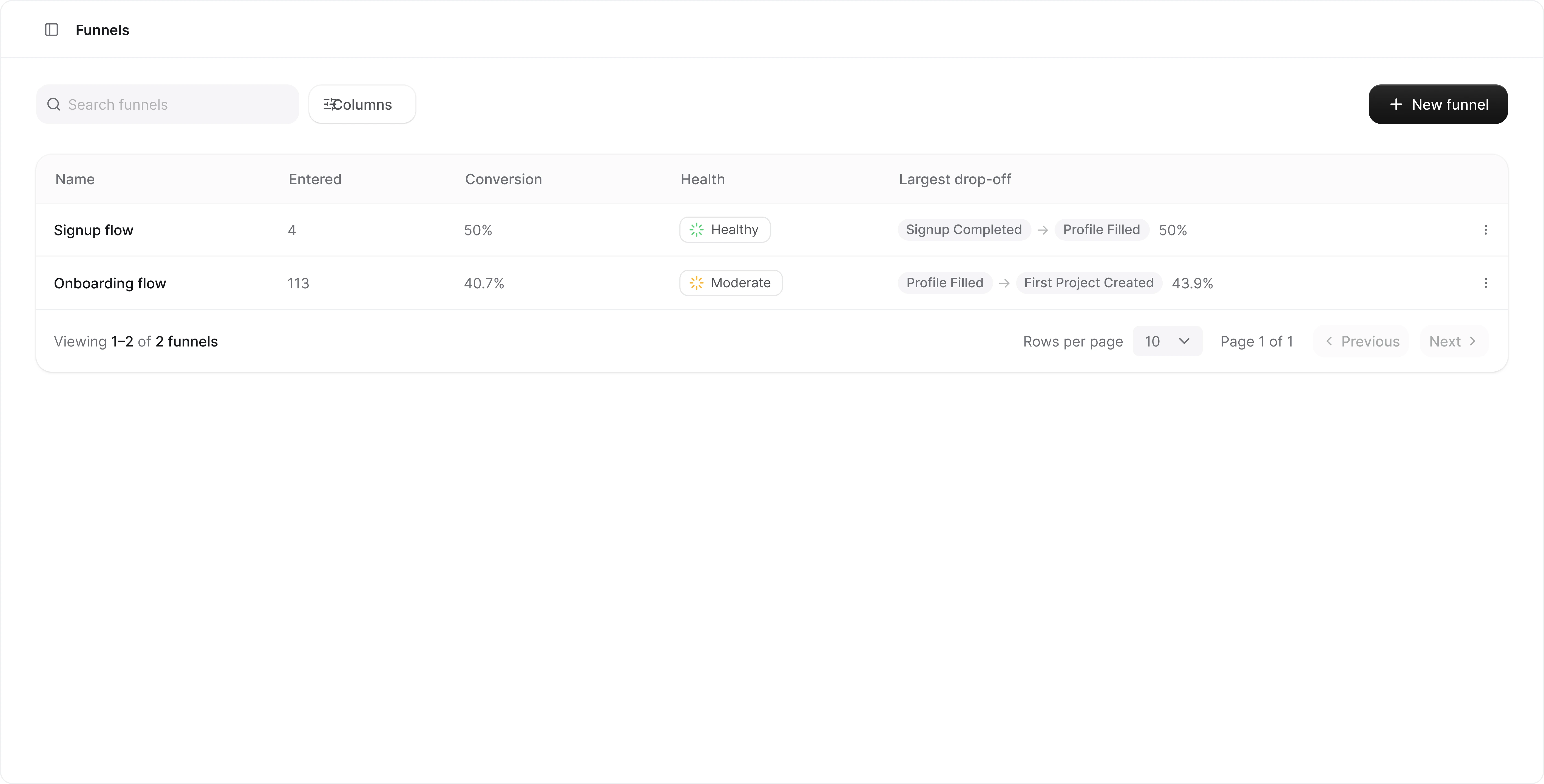
The funnels list
Each row shows the funnel’s name, its overall conversion rate, a health indicator, and the largest drop-off between two steps. All columns are sortable, and the search box filters by name. The menu at the end of each row lets you Edit or Delete a funnel. Deleting a funnel only removes the funnel definition, not the underlying events.Funnel health
The health indicator is a small ring. The arc fills to the funnel’s conversion rate, and the color carries the verdict:
A funnel that no one entered in the selected date range shows an empty gray ring instead.
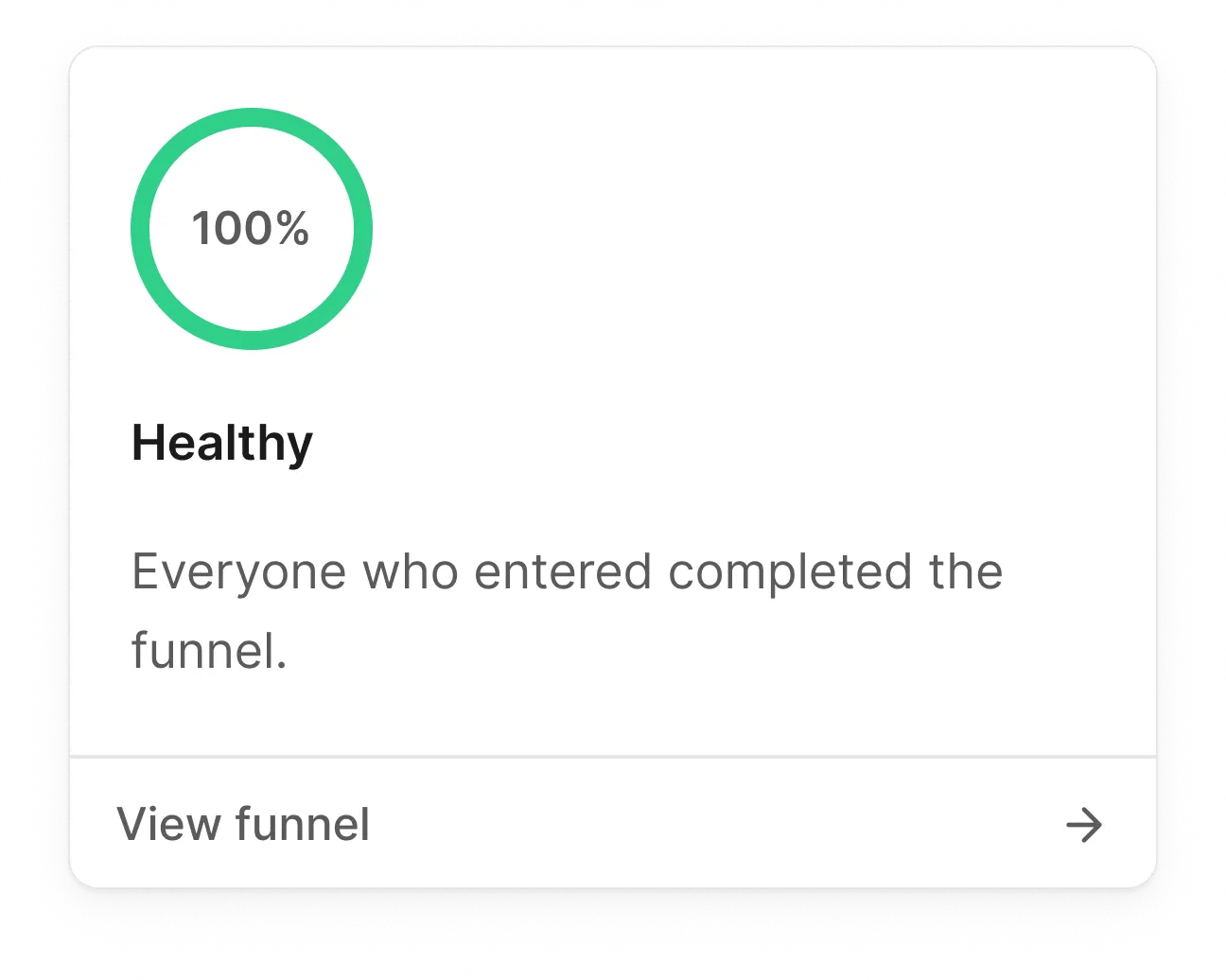
Hover the indicator to open the health preview. It shows the conversion rate in a larger ring, the verdict, and up to three findings about what changed and where:
- Health changed against the previous period: “Health dropped from Healthy to Critical this period.”
- Conversion moved, and when the movement started: “Conversion is down 22pp vs the previous period, mostly since Tuesday.”
- The biggest drop-off between two steps, including when that step converts far below the funnel’s own average.
- The segment that carries most of the loss: “Mobile Safari accounts for 61% of that loss.”
- A step where users take several times longer than at any other step.
Creating, editing, and deleting funnels requires the owner or admin role.
Members get a read-only view. The number of funnels per project depends on
your plan; once the limit is reached, the New funnel
button is disabled until you delete a funnel or upgrade.
Creating a funnel
Click New funnel at the top right to open the funnel builder.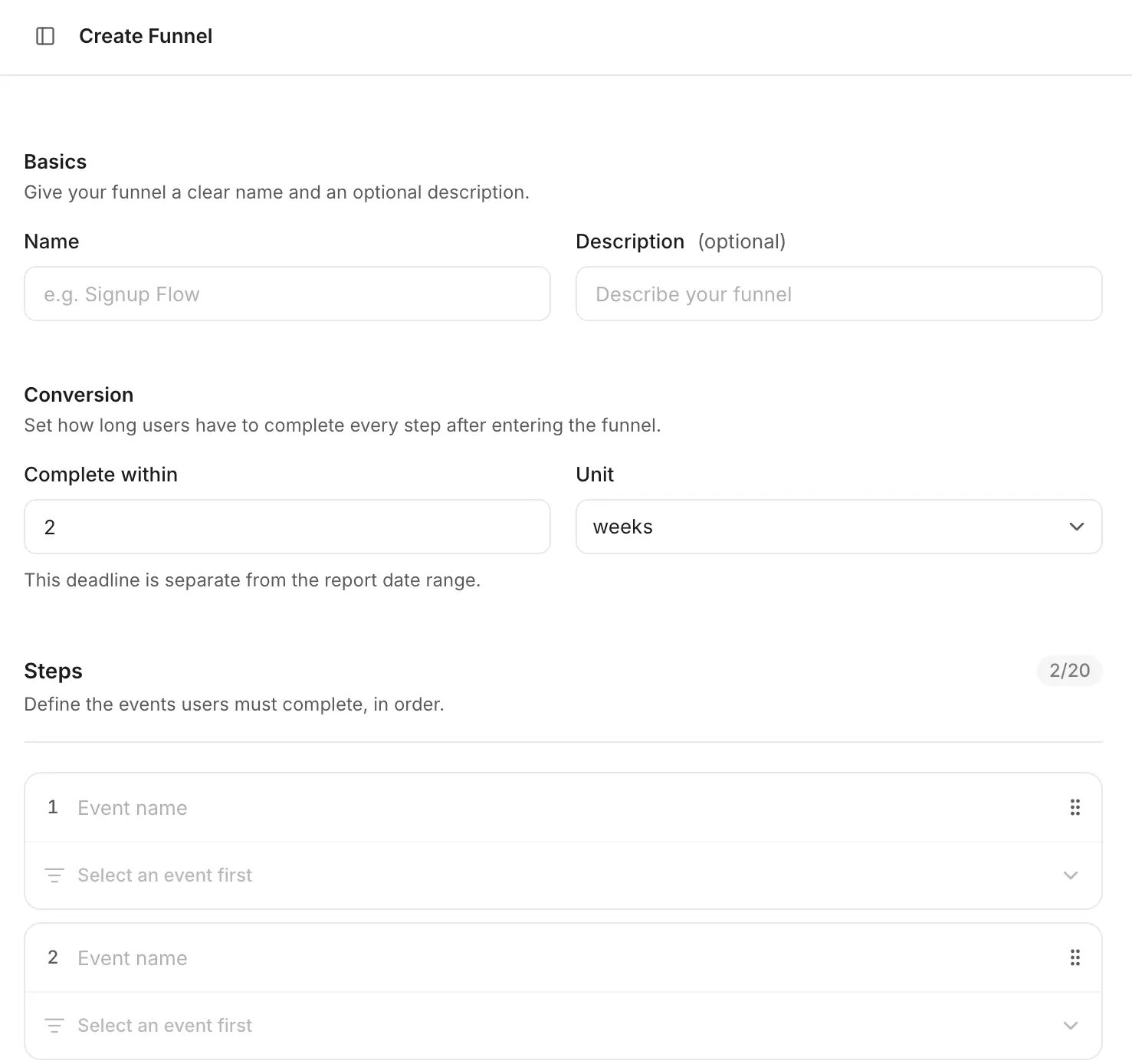
Basics
Give your funnel a clear name (up to 100 characters) and an optional description.Conversion window
Set how long users have to complete every step after entering the funnel, for example “2 weeks”. You can use minutes, hours, days, or weeks, anywhere between 1 minute and 365 days. The default is 2 weeks. This deadline is separate from the report date range: the date range decides who enters the funnel, the conversion window decides how long they get to finish it.Steps
Define between 2 and 20 steps. Each step is an event name, and the event picker suggests events you already track, along with how often each one occurred.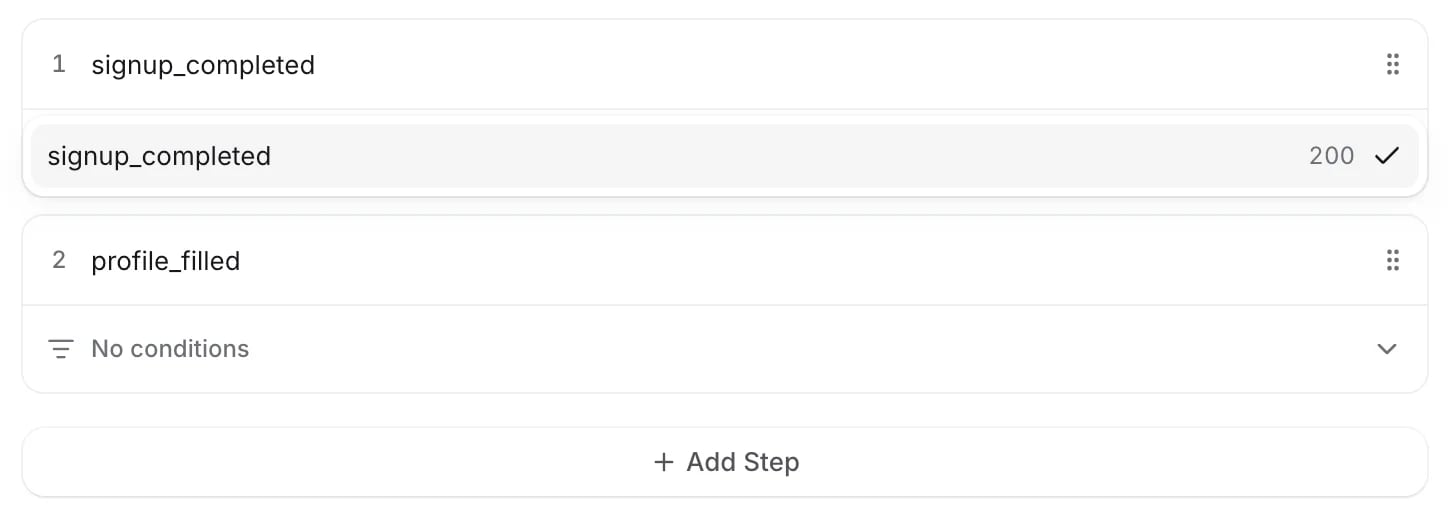
Wendung.step(). Drag the handle on the right of a step to reorder, and use Add Step to append more.
Step conditions
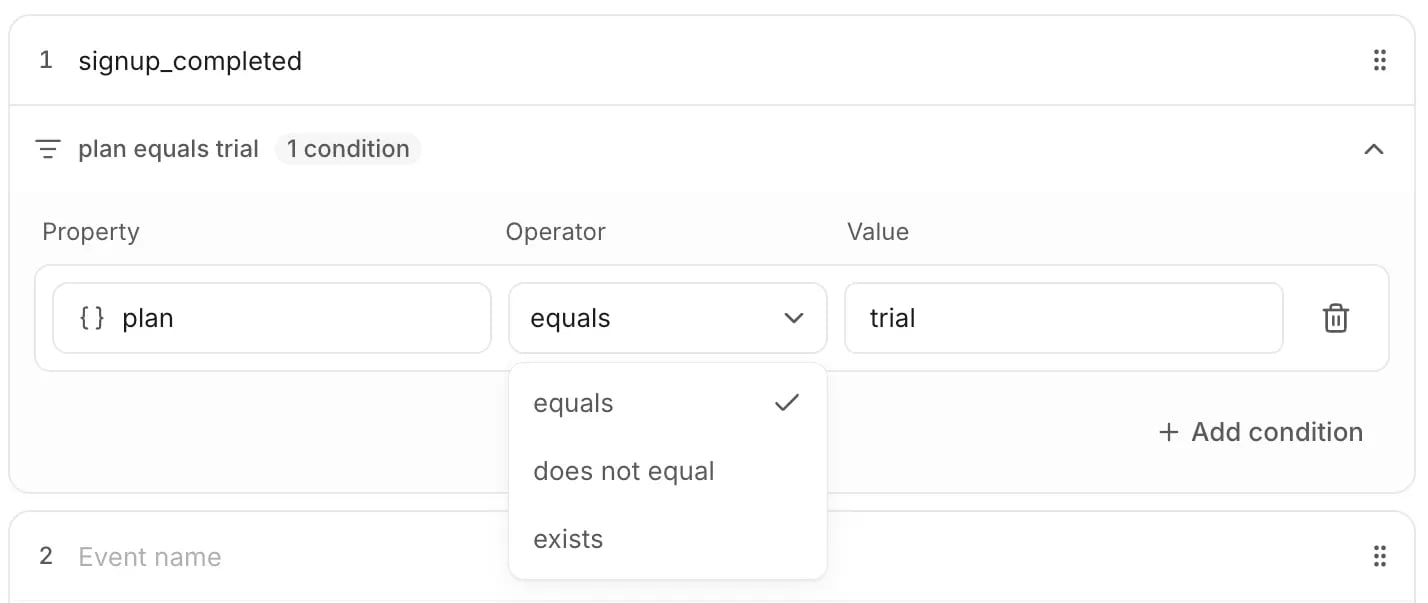
Every step can optionally be narrowed down with property conditions. Expand a step and click Add condition to pick one of the event’s properties.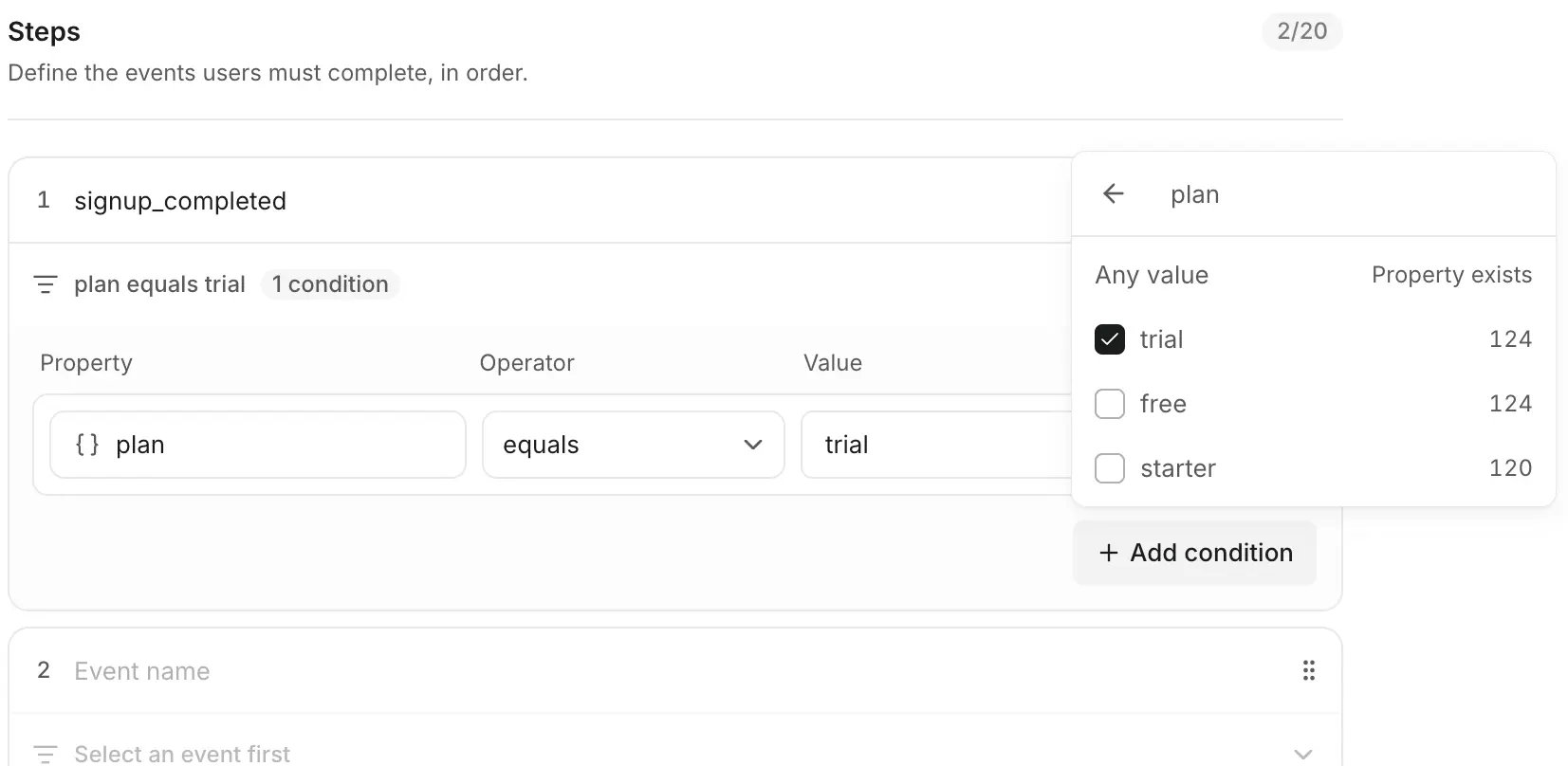
- equals or does not equal a specific value. The value list shows what you’ve actually tracked, with counts, and you can also enter a custom value.
- exists, which matches any value. Pick Any value in the value list.